Beta on iOS
Android soon

Continuity at the speed of a film set.

A photo-first continuity tool with AI that catches what the eye might miss. Point. Shoot. Find anything in seconds.

Shared across your entire team, from wardrobe to scripty

Built by a filmmaker, for filmmakers

Limited free early access spots available

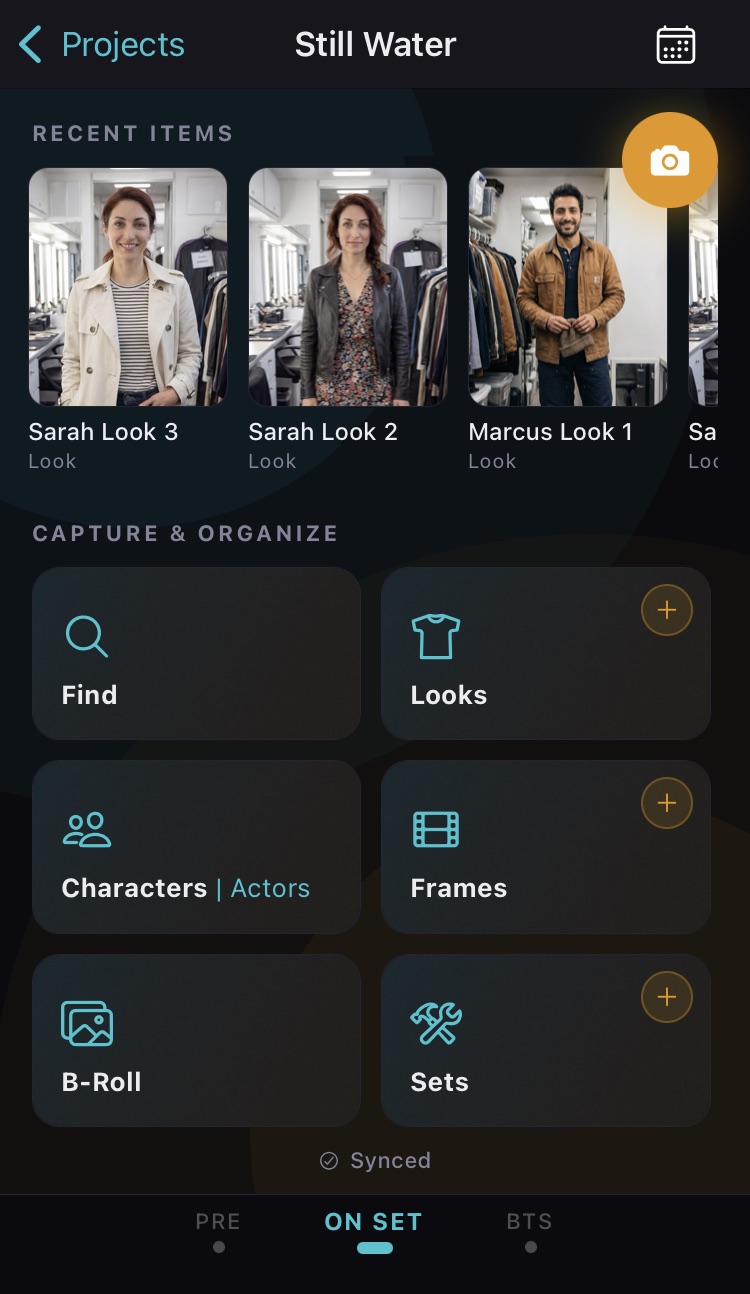
Home screen

App screenshot
Continuity Capture

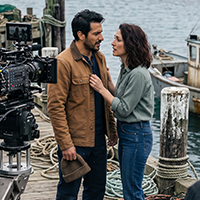
Movies are built between takes.

The audience never notices continuity when it works. They only notice when a prop shifts, a costume changes, or a detail stops matching.

And too often, any references disappear into scattered camera rolls, group chats, and half-remembered decisions.

Search screen
App screenshot

Most filmmaking apps want you to document your shoot.

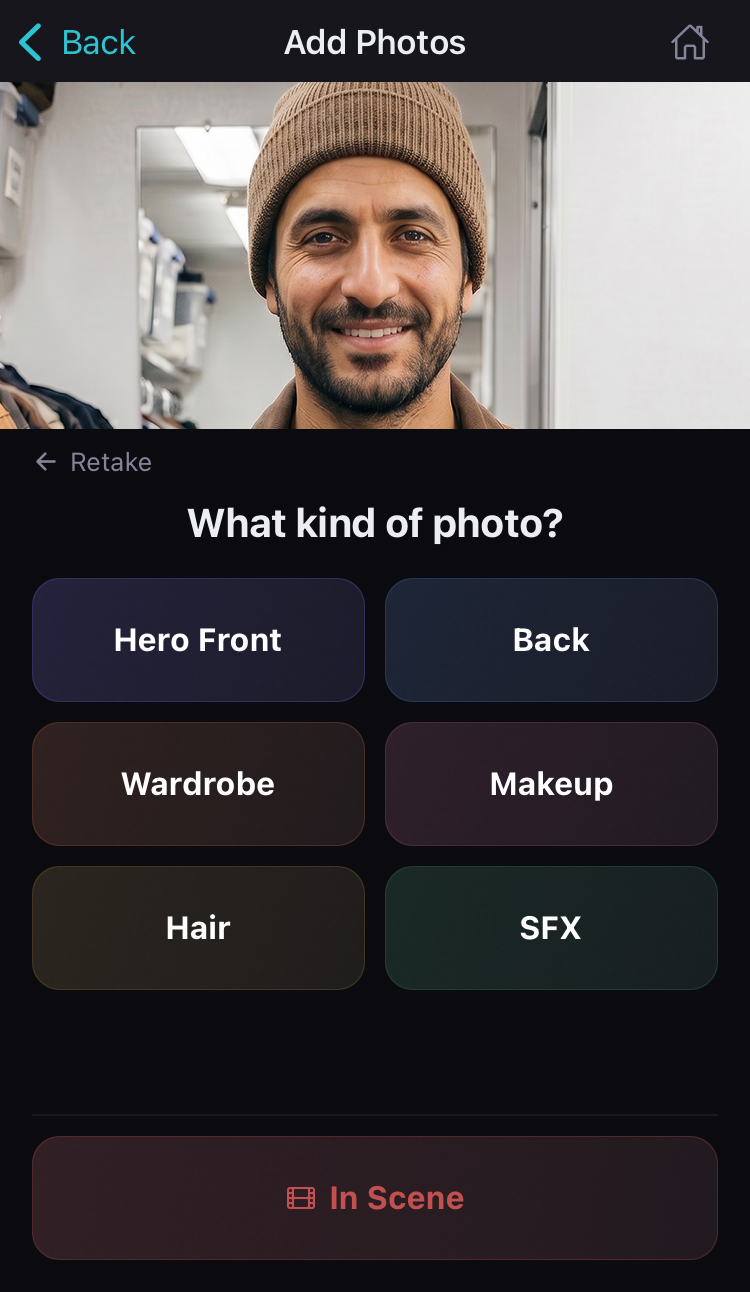
Continuity Capture just asks you to photograph it.

Not forms, fields, or hours of data entry.

  • Capture fast. The app does the rest.

  • Everything stays connected and searchable.

Continuity Capture takes the on set photos you're already taking on your phone and makes them useful to your entire production.

Works alongside the tools you already use, from StudioBinder to handwritten notes.
Minimal setup. Quick to learn, quick to use.

Spend less time logging your film. Spend more time making it.
It's not just a photo.
It's everything connected to it.

Every Look. Every Set. Every Frame. Every Character.
Each one a complete picture.

Character look
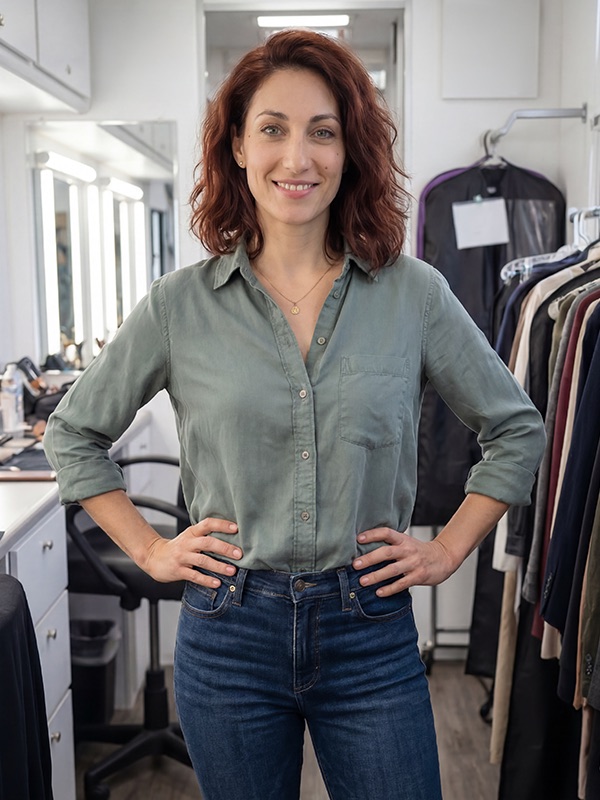
Front
Front
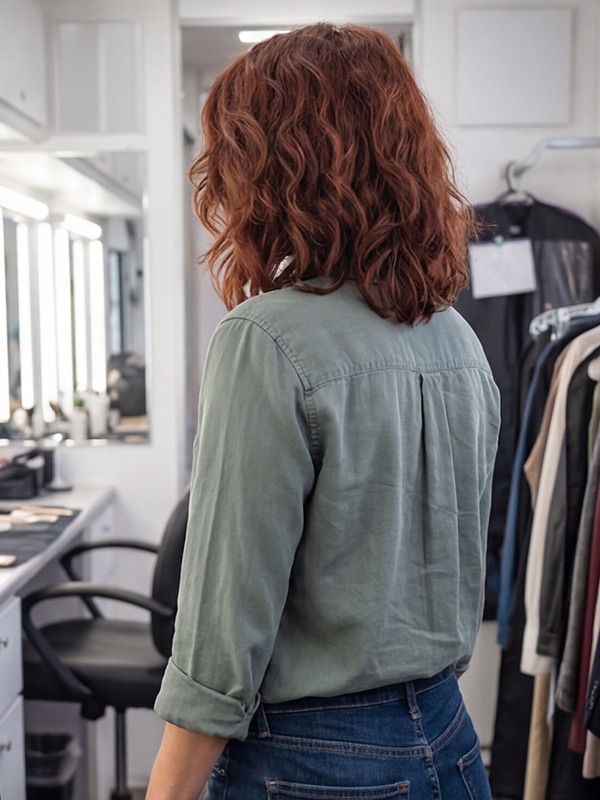
Back
Back
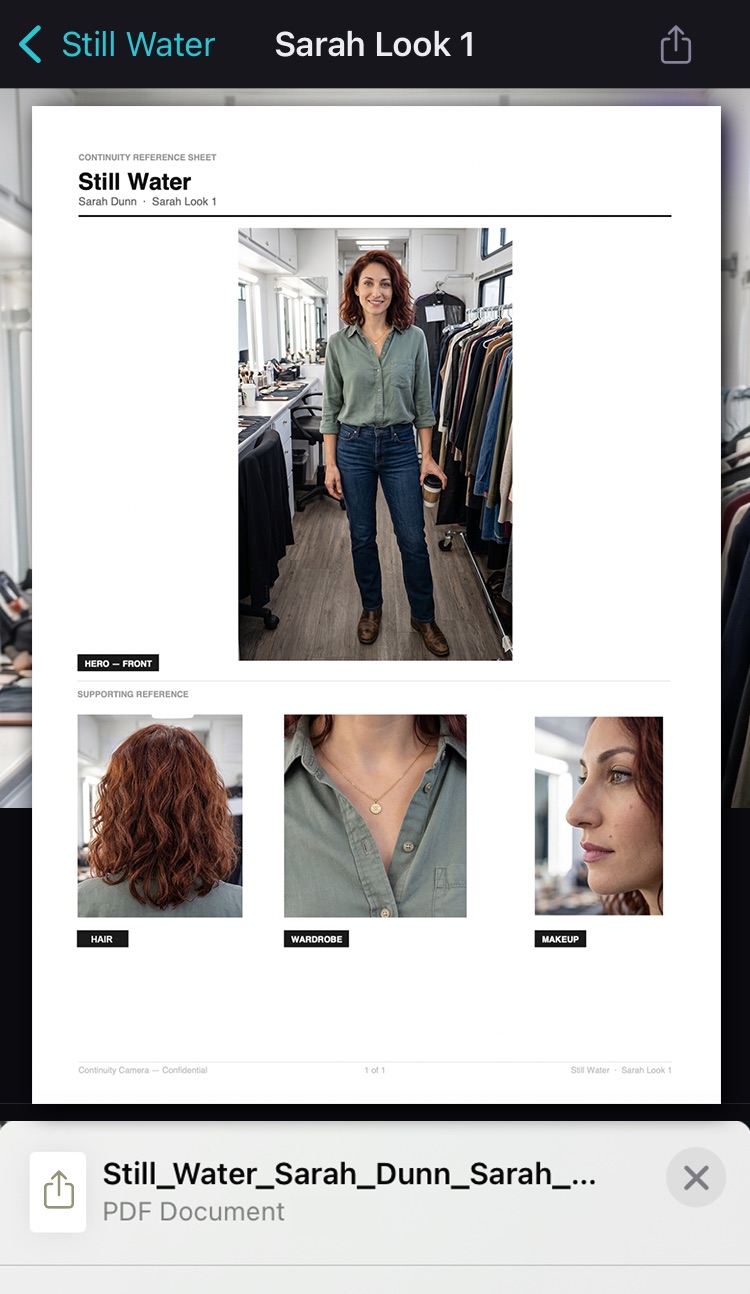
Character Look
Sarah · Look 1

Looks

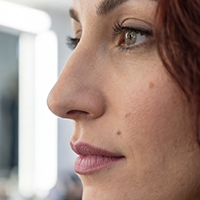
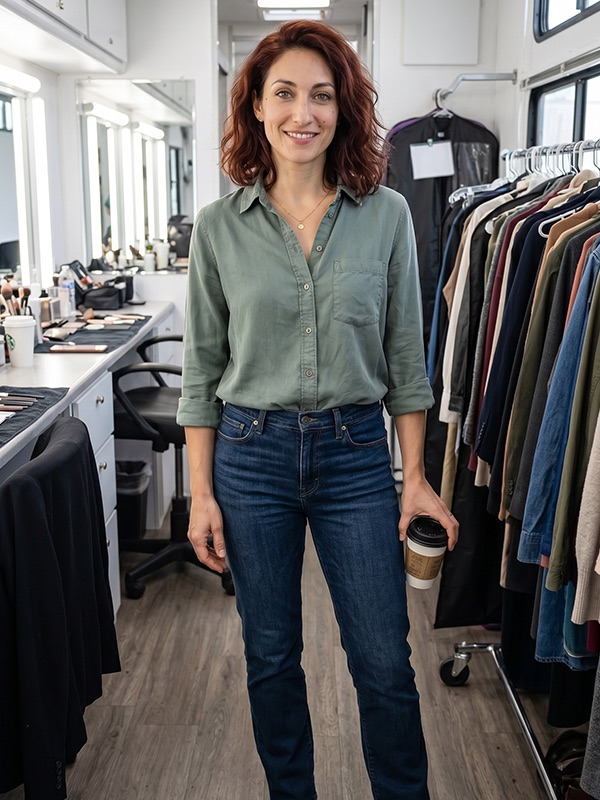
A character's Look isn't one photo. It's front, back, wardrobe, hair, makeup, SFX, and how it appears in each scene, all linked.

Wardrobe
Wardrobe
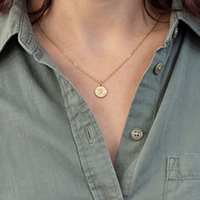
Sage button-down, rolled sleeves. Dark wash jeans. Gold necklace.
Hair
Hair
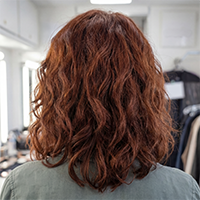
Auburn, shoulder length. Natural wave, worn loose.
Makeup
Makeup
Minimal. Clean skin, nude lip, no liner.
SFX
SFX
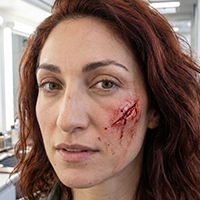
Cut on cheek at end of Scene 22.
In Scene
SN 22
In Scene
How the Look appeared in Scene 22.
In this example, everything in this Look stays linked to Sarah. Look 1.

Sets

Every location, fully mapped.

  • Every prop and piece of set dec, linked.
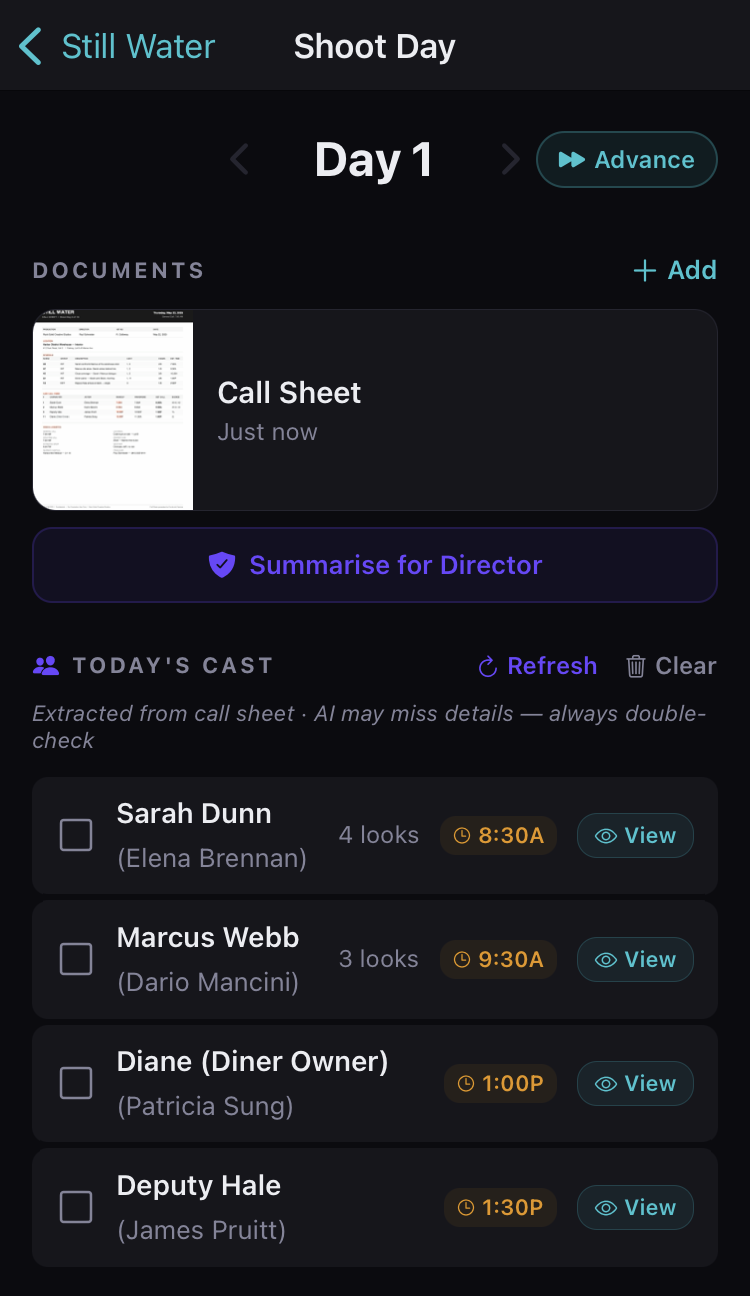
  • Reset any set. AI catches what moved.
  • Linked to your scout. Bathrooms, parking, all of it.

Frames

What the camera sees, saved for reference.

  • Grouped by scene and setup.
  • Best take marked for easy reference.
  • Letter up or another take in a tap.

Characters & Actors

Every character and the actor behind them, in one place.

  • Import your cast list.
  • Every actor linked to their character.
  • Wardrobe sizes, allergies, and notes per actor.

More than a photo library.

Call sheets, continuity report exports, and search that finds anything in your production.

scroll

Powerful Search

App screenshot

Powerful Search

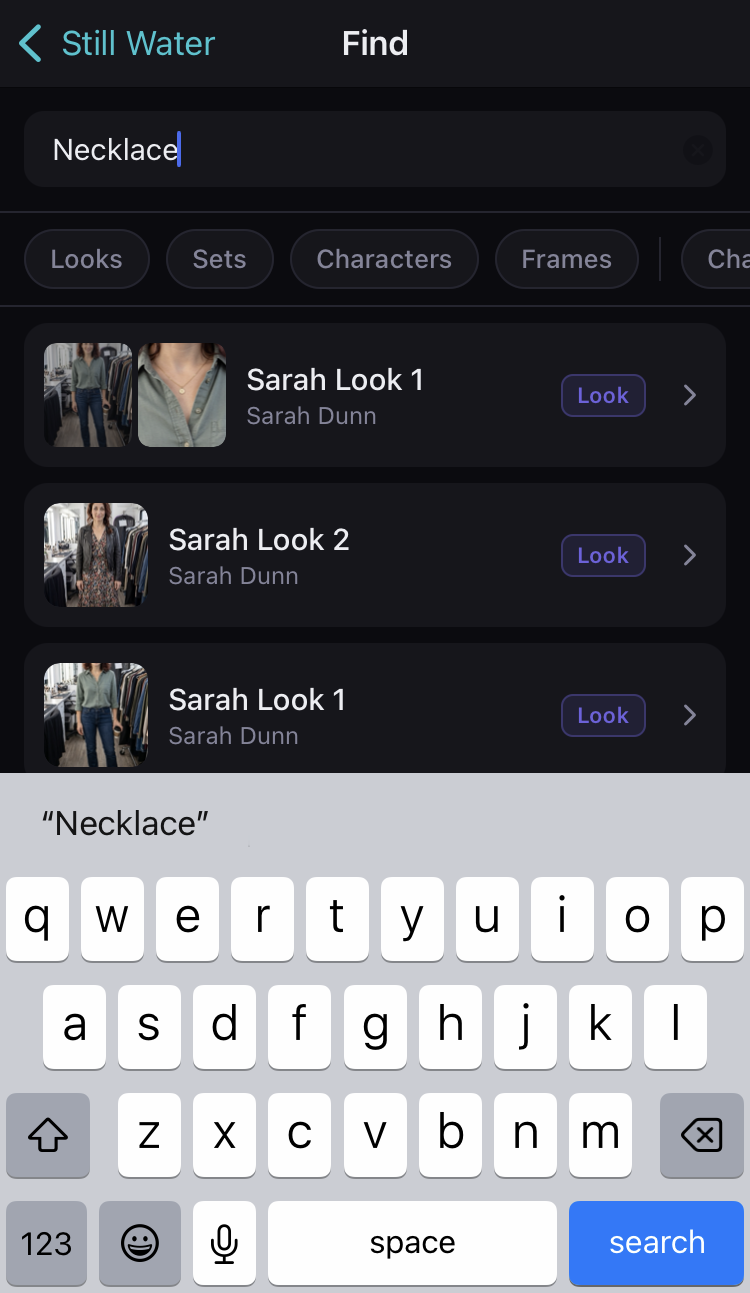
Find any photo, look, or note across your production

Call Sheets

App screenshot

Call Sheets

Your shoot day, summarized and ready to check off

PDF Export

App screenshot

PDF Export

Share a polished continuity report in seconds

AI-Powered

AI that actually helps on set.

Not gimmicks. Not distractions. Just a second set of eyes.

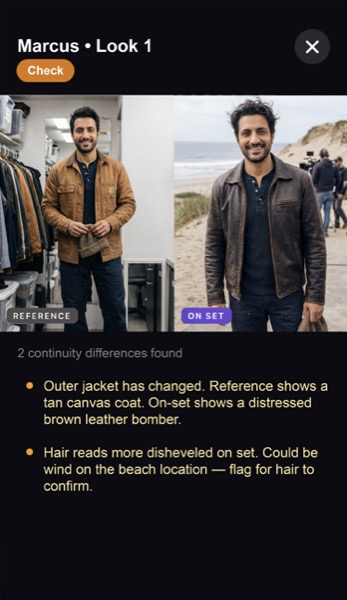
AI Continuity Check

App screenshot

AI Continuity Check

Catches differences between shots before you roll. Not after you wrap.

AI Photo Descriptions

Makes every image searchable. Type what you remember, find what you need.

Your photos are never used to train AI. Ever.

Built for every department.

Script Supervisors

Script Supervisors

Your single source of truth

Wardrobe & Costume

Wardrobe & Costume

Every look, perfectly tracked

Hair & Makeup

Hair & Makeup

Instant references + AI comparison

Set Dec & Props

Set Dec & Props

Reset everything exactly

ADs & Producers

ADs & Producers

No more chasing photos

Directors

Directors

Answers in seconds, not minutes

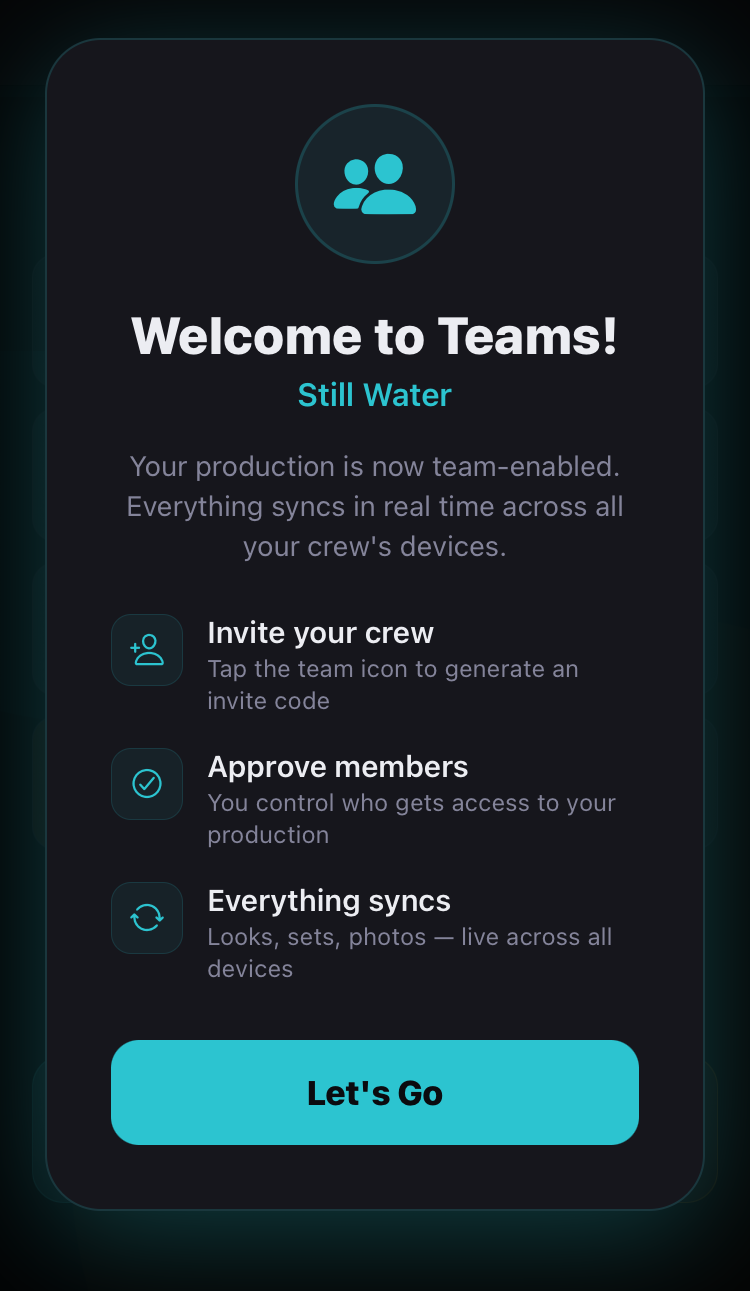
Built for Teams

One production.
Every department.
The same page.

A shared platform that actually works on set.

One organized library for all looks, sets, and references

Capture on your device, shared with your team

Invite and manage your crew's roles

A shared BTS feed for cast and crew

Offline-first, syncs when you have signal

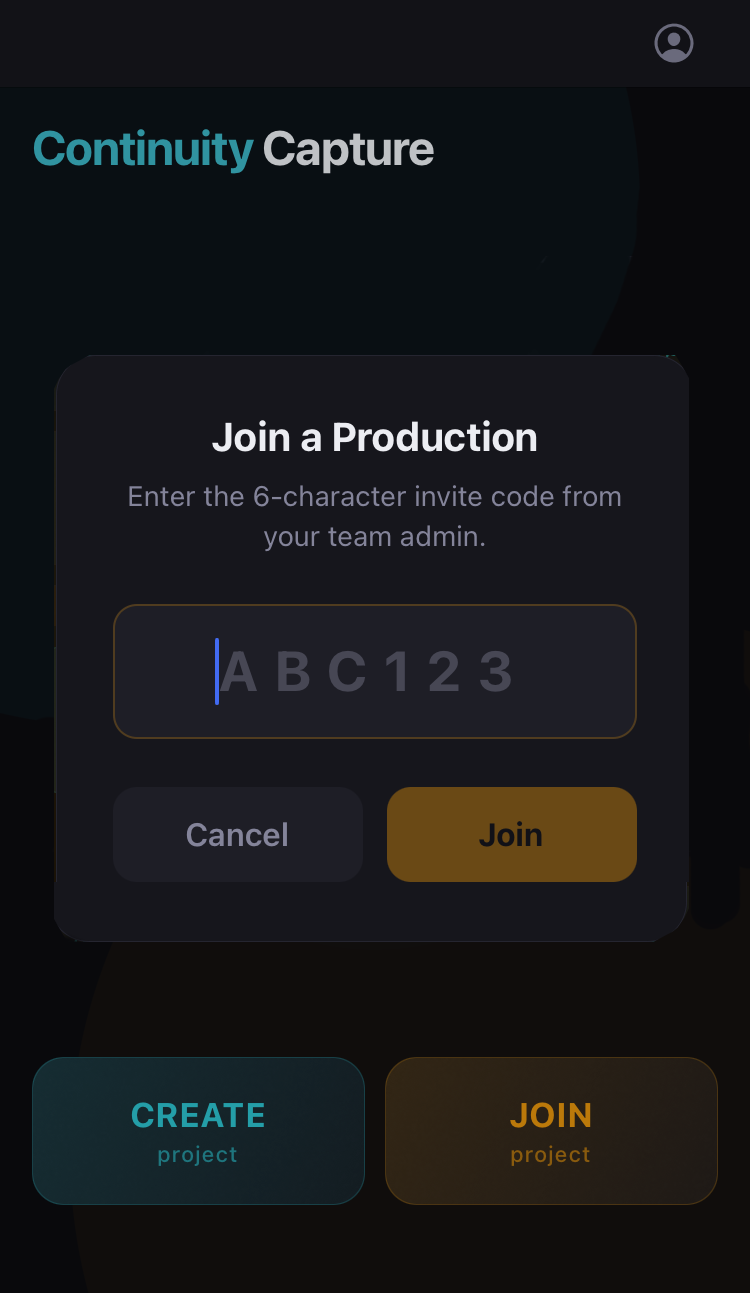
Join production

App screenshot

Teams

App screenshot
Pre-Production

Plan it before you shoot it.

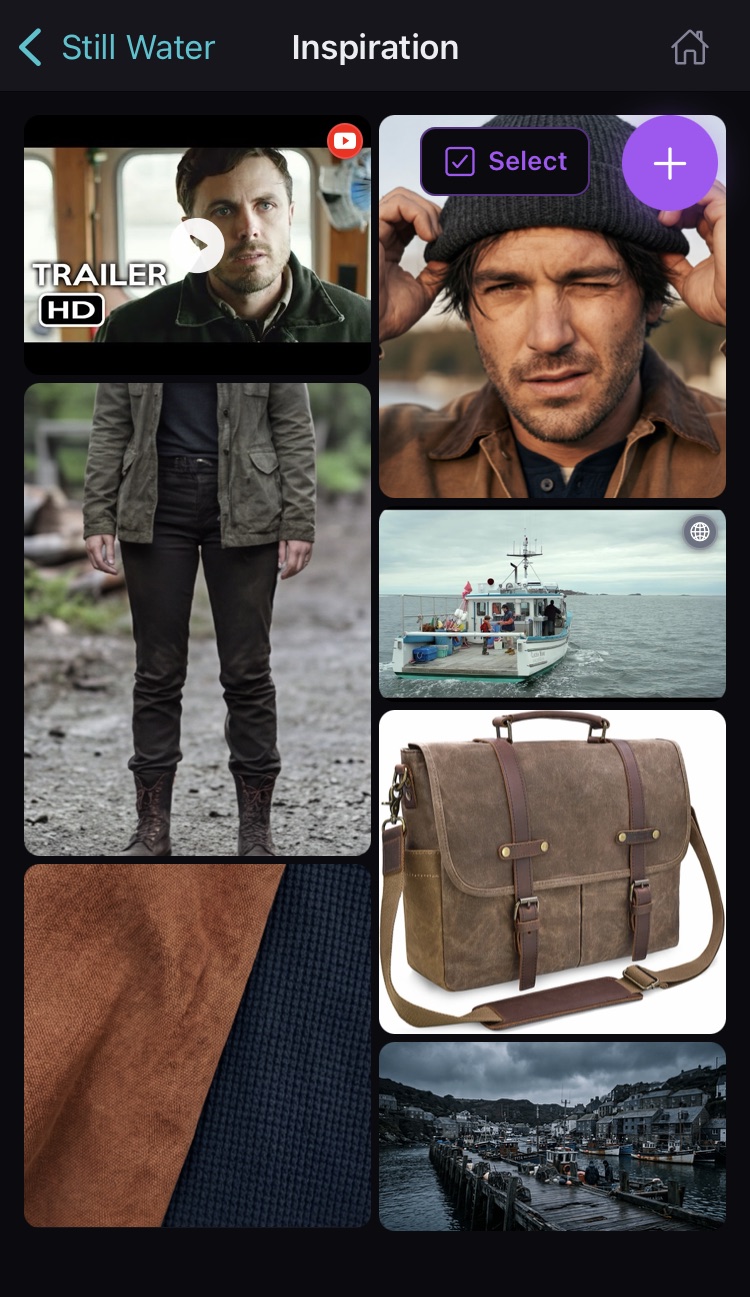
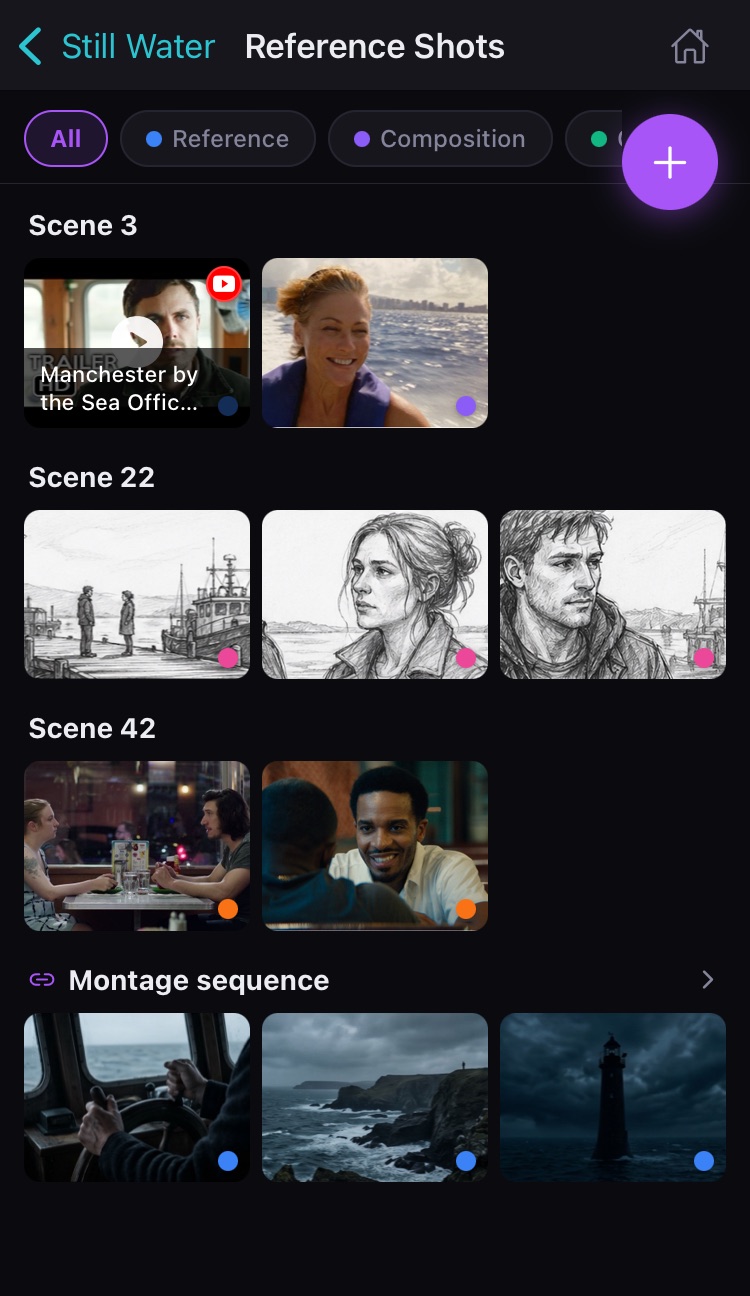
Your pre-production images shouldn't just live in a camera roll or group chat. Mood boards, character looks, shot references, location scouting. All collaborative and connected to the on-set work that follows.

Mood Board

App screenshot

Reference Shots

App screenshot
  • A shared inspiration mood board pulling in images and video from anywhere
  • Character look books with auto-extracted color palettes
  • Camera reference shots organized by scene
  • Location scouting with GPS tagging
Behind the Scenes

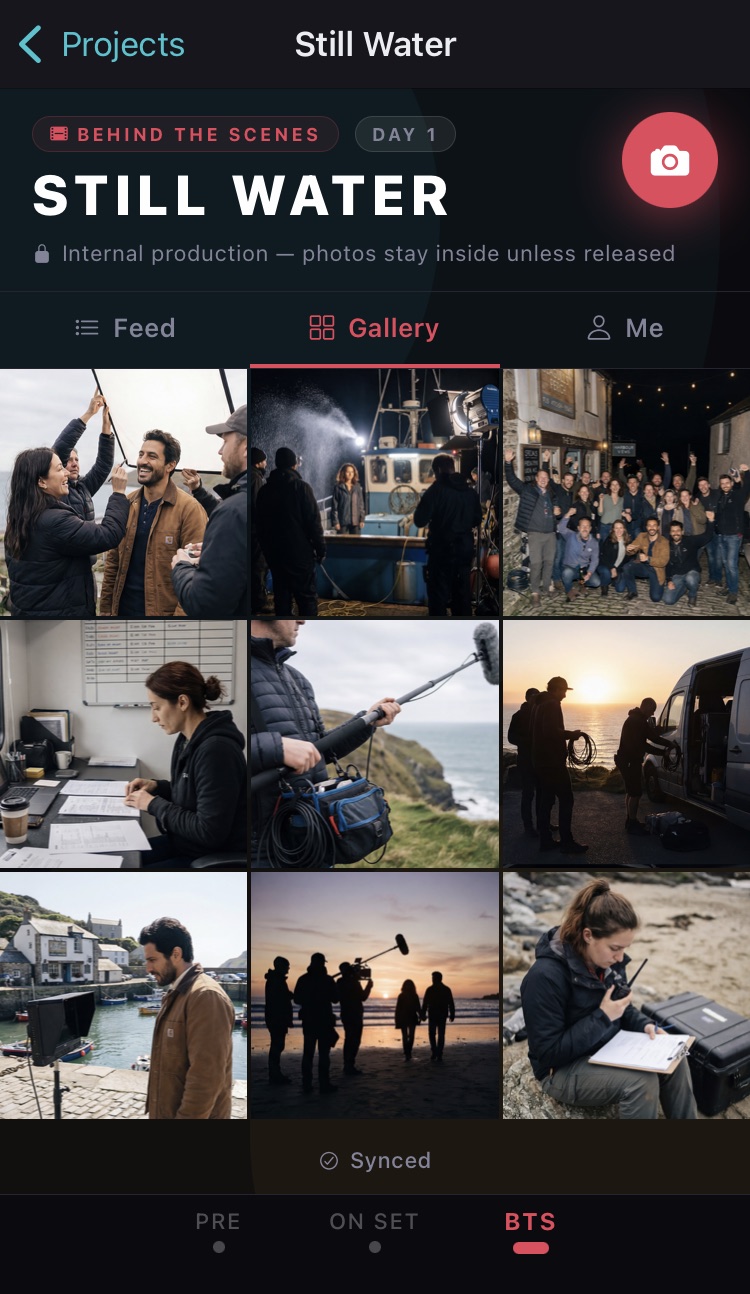
Every shoot has behind the scenes moments worth keeping. But they live on personal phones, unavailable to production for promotion, or posted before they're approved. Continuity Capture gives your production its own private, shared BTS gallery.

Your production's BTS, on lock.

BTS feed

App screenshot

One feed. Every contributor.

Cast and crew shoot in the app, not their camera rolls. Every photo ties back to who took it.

Your content, your rules.

Watermarks and screenshot tracking deter unauthorized sharing. Nothing leaves until you say so.

Coming soon

A companion app for cast and crew. A lightweight BTS-only experience that connects directly to your production, so your whole team shoots into the same feed without needing access to your full continuity workflow.

Simple pricing.
Pay only while you're shooting.

Pause when you wrap. No annual commitments.

Individual

FREE

Try it out

$0
  • 1 project, local only
  • 50 photos
  • 50 AI descriptions included
  • 10 AI continuity checks included
  • No sync, no teams

SOLO

For the individual crew member who wants to stay organized

$19one-time
  • Unlimited projects, local only
  • Unlimited photos
  • All capture modes
  • Own it forever. No subscription.
  • AI not included

SOLO + AI

Solo with a second set of eyes

$4.99/month
  • Everything in Solo
  • AI descriptions on every photo
  • AI continuity checks
  • Full AI search

Teams & Productions

TEAM

For productions that need everyone on the same page

$29/month while active
  • Everything in Solo
  • Cloud sync across all team devices
  • Unlimited team members
  • Pause when you wrap
  • AI not included
Most Popular

TEAM + AI

Production sync plus AI

$39/month while active
  • Everything in Team
  • AI descriptions on every photo
  • AI continuity checks
  • Full AI search

TEAM + AI + BTS

The full production package

$49/month while active
  • Everything in Team + AI
  • Shared BTS feed across your whole crew
  • Photos stay in production, off personal camera rolls
  • Watermark and approval controls
  • BTS companion app for cast and crew

Includes up to 50 team members and 50 GB of shared storage (enough for ~10,000–20,000 production photos).

Most productions never come close to these limits.

For larger teams or extended shoots, reach out for a custom setup.

Frequently asked questions

Fully. Free and Solo plans are entirely local. The app works the same whether you have full bars or no signal at all. Team plans sync automatically when you're connected and work offline in between. No signal in a basement stage or a remote location? Not a problem.

Yes. On Team plans, the entire production shares one organized library. Wardrobe can see set references. The AD can pull up any look. The director has access to everything. Department-level permissions are coming, giving admins the ability to control who can see and edit what.

All photos and continuity data belong to the production. If a team member is removed, their access is revoked and any project data on their device is cleared, while the production retains all content and any contributions that team member made while part of the production.

Yes. On Free and Solo plans, all data stays on your device and is protected by iOS hardware encryption. On Team plans, everything is AES-256 encrypted in transit to the cloud. Your photos and production data are never shared between productions or accessible outside your team.

Not yet. Continuity Capture is currently iOS only, available via TestFlight during beta. Android is on the roadmap and not far off. If that matters to your production, request early access and we'll let you know when it's ready.

No. Team plans are active only while you're shooting. When your production wraps, you archive the project and billing stops. You're not paying for three months of downtime between a current film and your next project. Start it when you need it, pause it when you don't.

When you archive a production, billing stops and the cloud sync is cleared. Before that happens, the app prompts a final sync so nothing is missed. The production chooses which team members receive the local archive. Each of those selected devices keeps a full copy of every reference, look, and photo, stored locally forever at no cost.

Yes. The Free tier is genuinely useful: one project, 50 photos, 50 AI descriptions, and 10 AI continuity checks included at no cost. Enough to run a short film or see exactly how the app works on a real shoot before committing to anything.

Not at all. The core app, capturing looks, sets, frames, and references, works completely without AI. AI features are an optional add-on available on Solo + AI and all Team + AI tiers. Turn them on when you want them, ignore them entirely if you don't. Your production's photos, references, and continuity materials are yours. They are never shared, never analyzed beyond your session, and never used to train any AI model.

The AI continuity check and photo descriptions require an internet connection. They run a quick analysis through a secure, encrypted API call. Everything else in the app, including searching previously described photos, works fully offline. If you're in a no-signal situation, capture as normal and AI descriptions will process when you reconnect.

The admin generates a 6-character invite code and shares it with the crew by text, email, or group chat. Each person enters the code, creates a free account with their email and department, and the admin approves them. Once approved, they're in and syncing immediately. Joining is always free. The production pays the plan, not the crew.

Up to 50 members and 50 GB of shared storage, which is enough for roughly 10,000 to 20,000 production photos. There's no per-seat pricing. The production pays one flat rate and the whole crew uses it. Most productions never come close to either limit. For larger teams or extended shoots, reach out at support@continuitycapture.app.

Paul Schneider

Built by a filmmaker, for filmmakers.

Continuity Capture wasn't designed by a focus group. It was built on set.

Paul Schneider is a working producer and director with dozens of features and shorts behind him. He kept chasing the same gaps between what a production knew and what it could actually find in the moment. When he looked for a tool worth using, he didn't find one. So he and his team built it.

The app exists because he needed it. If you're reading this, chances are you do too.

Continuity,
without the clutter.

Capture fast. Find anything. Keep your team in sync.

Free to download. No credit card required.